02 Buy and pay › Purchases and expenses
Upload the supplier’s invoice. Nortia reads it.
Expenses that record themselves, almost, without typing in invoices. Whatever Nortia can’t read with certainty, it leaves for you.
Goodbye, shoebox full of receipts.
The purchases and expenses line · 4 stations
Station 1 of 4
Upload them
Drag in CFDI XML files, PDFs or a photo of a receipt. One or twenty at a time.
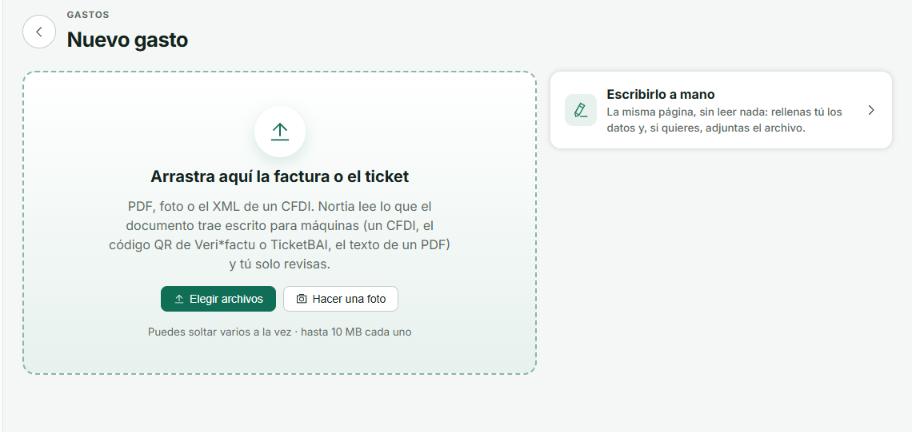
Station 2 of 4
Nortia reads them
The CFDI XML, or the PDF’s text. It checks the supplier, the accounts and whether you already had it.
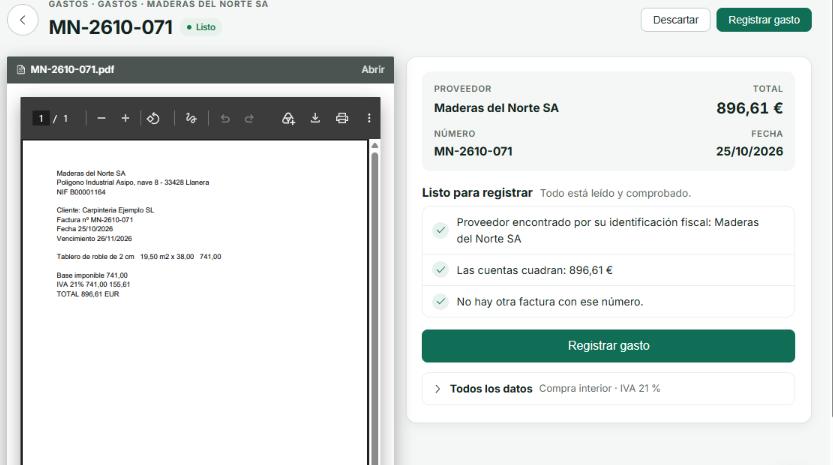
Station 3 of 4
To review
Everything that’s ready, all at once with “Record all N”. The rest tell you what to look at.
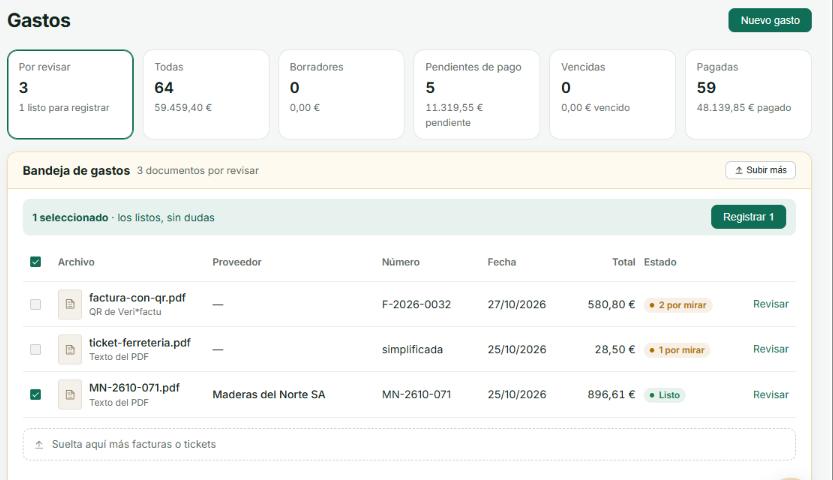
Station 4 of 4
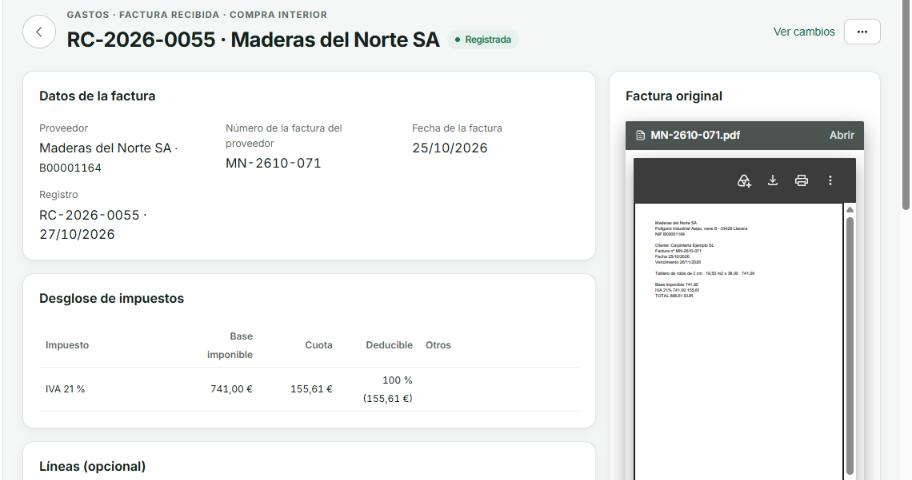
Recorded
With its file alongside, its entry in the books and its due date in Payments.
What it reads and what it doesn’t
Nothing is guessed: whatever isn’t certain is flagged for you to check.
Purchases and expenses
- Expenses read from the CFDI XML
- Text from PDFs and photos of receipts
- “To review”: record the ready ones in one go
- Purchase orders and what was received
- Duplicates detected
Next station
Treasury
What comes in and what goes out.